Revenue By Rate Plan
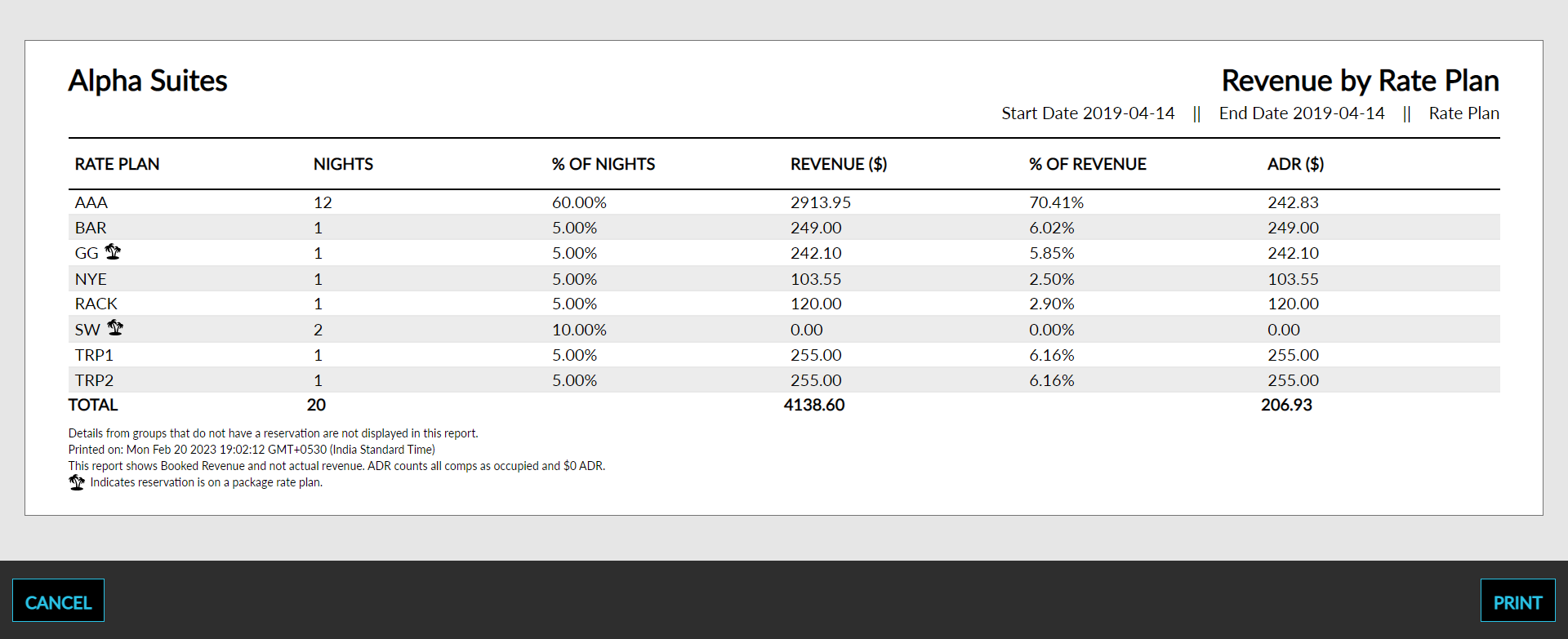
The Revenue By Rate Plan report allows users to view the booked revenue generated by each available rate plan in Stay. As a property manager, user can reference the revenue by rate plan details. If a package plan is associated with the reservation, it appears on the report with a palm tree icon.
Perform the following steps to generate the report:
Navigate to Reports ➜ All Reports ➜ Revenue By Rate Plan (under Revenue/Forecasting).
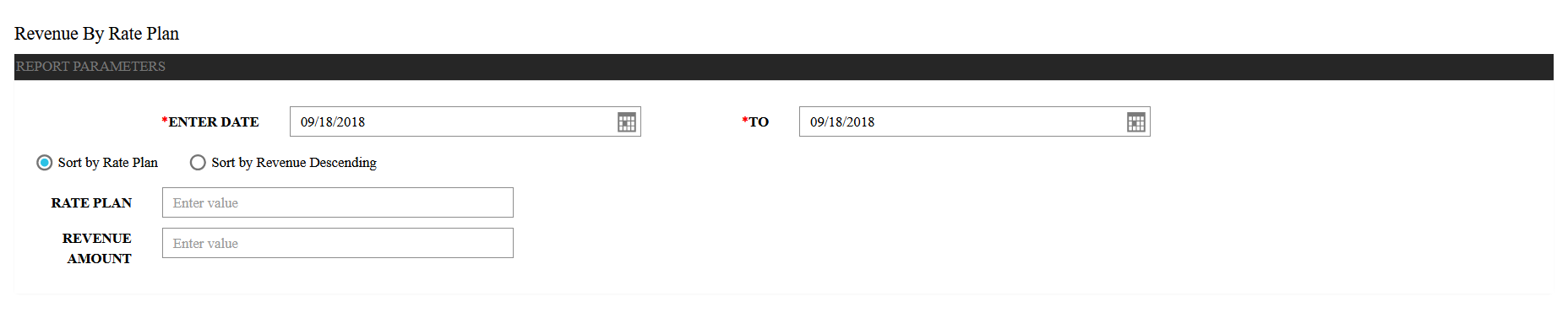
Select a date from the calendar to generate dates for the report.
Choose which sort options to include in the report:
|
Field |
Description |
|---|---|
|
Sort by Rate Plan |
Sorts the report alphabetically by rate plan. |
|
Sort by Revenue Descending |
Sorts the report alphanumerically from the least amount of revenue to the most. |
Enter a Rate Plan value to filter the report by room rate. If no rate plan is entered, all rate plans will be reported.
Enter the revenue amount in the Revenue Amount field.
Click Generate. The report with the selected data appears.
Click Print to send a copy of the report to the printer.
Sample Report
Report Parameters
This report displays the following parameters:
|
Field |
Description |
|---|---|
|
Rate Plan |
The rate plan associated with the reservation. If multiple rate plans are associated with the reservation, the rate plan currently in effect appears on the report. |
|
Nights |
The number of nights that the guest is staying for the reservation. |
|
% of Nights |
The percentage of nights sold for the selected date. |
|
Revenue |
Each ledger has a main group and three subgroups consisting of revenues, payments, and transfers. Each posting item has its own row in the report. |
|
% of Revenue |
The percentage of revenue accrued for the selected dates. |
|
ADR |
The average daily rate based on the amount of room revenue for the selected date and rooms committed. |